Skip to content

Hide RTER violations on paid expense reports - #101559

Merged
JS00001 merged 2 commits into
mainfrom
claude-hideRterViolationOnPaidReport
Sep 25, 2026
Merged

JS00001 merged 2 commits into
mainfrom
claude-hideRterViolationOnPaidReport

Conversation

@MelvinBot

@MelvinBot MelvinBot commented Sep 18, 2026 •

Copy link
Copy Markdown
Contributor

Explanation of Change

The broken-connection banner (Can't auto-match receipt because your bank connection needs re-authentication. Reconnect to match the receipt.) kept showing on an expense after the report was paid.

That banner is an RTER violation. The product rule established in #65761 is to hide RTER violations once a report is settled, and shouldShowViolation already implements it:

if (violationName === CONST.VIOLATIONS.RTER) {
    return (isSubmitter || isInstantSubmitEnabled(policy)) && (shouldShowRterForSettledReport || !isSettled(iouReport));
}

But shouldShowRterForSettledReport defaults to true, which short-circuits the !isSettled(...) guard. Only the Search list items opted out, so every expense-detail surface kept rendering the violation after payment. This change makes the affected surfaces honor the rule:

  1. Receipt audit banner — MoneyRequestReceiptView used the default, then rendered every RTER violation as a ReceiptAuditMessages banner over the receipt. This is the banner in the issue screenshot. Now passes false.
  2. Expense header status bar — MoneyRequestHeader used the default, feeding shouldShowBrokenConnectionViolation and hasPendingRTERViolation. Now passes false.
  3. Expense fields — MoneyRequestView passed true explicitly. Now passes false.
  4. Report-level status bar — shouldShowBrokenConnectionViolationForMultipleTransactions reads raw violations straight from Onyx and hardcoded true, so it was unaffected by any call-site flag. This is the gap raised in review on the issue: the report status bar would have kept surfacing the broken connection on a paid report even after fixing 1–3. It now passes false too.

With false, the existing !isSettled(iouReport) guard takes effect and the violation disappears once the report is paid, while behavior on open and processing reports is unchanged.

Why the other callers of the hardcoded flag are unaffected

shouldShowBrokenConnectionViolationForMultipleTransactions has three callers. Change 4 only alters behavior for the report status bar; the two action-utils callers already gate on report state:

  • useMoneyReportHeaderStatusBar — the report-level status bar. This is the surface fixed.
  • ReportPrimaryActionUtils.isMarkAsCashAction — already returns ... && !isSettled(report), so a settled report was already excluded.
  • ReportSecondaryActionUtils.isApproveAction — already returns early on if (!isProcessingReport) return false;, and a settled report is not processing.

Follow-up worth filing separately: invert the shouldShowRterForSettledReport default to false so new call sites inherit the rule from #65761 instead of having to opt out. That touches several more call sites (SearchUIUtils, ViolationsUtils.hasVisibleViolations, MoneyRequestReportTransactionList) and needs wider regression coverage, so it is deliberately out of scope here.

Automated checks run

Added unit tests in tests/unit/TransactionUtilsTest.ts:

  • getVisibleTransactionViolations — a brokenCardConnectionReauth RTER violation on a settled report is hidden with shouldShowRterForSettledReport = false, kept with true, and kept on a non-settled report with false.
  • shouldShowBrokenConnectionViolationForMultipleTransactions — returns false on a paid report and true on the same report while processing.

Passing locally:

  • npm run typecheck
  • npm run lint-changed
  • npm run spell-changed
  • npm run react-compiler-compliance-check -- check on the three changed .tsx files
  • npm test on TransactionUtilsTest, useTransactionViolationsTest, useTransactionViolationsDistanceRateTest, both useMoneyReportHeaderStatusBarTest suites, ReportPrimaryActionUtilsTest, ReportSecondaryActionUtilsTest, useReportPrimaryActionTest, MoneyRequestViewTest, MoneyRequestViewReceiptTest, MoneyRequestReceiptViewTest, MoneyReportHeaderMoreContentTest — 793 tests, all green.

Fixed Issues

$ #100461
PROPOSAL: #100461 (comment)

Tests

  1. As the Admin, invite a Member to the USD workspace
  2. As the Member, go to the Wallet - Add personal card - Mock bank
  3. Open both cards and break the connection
  4. Create a scan expense
  5. Open the expense, "Can't auto-match receipt because your bank connection needs re-authentication. Reconnect to match the receipt." error message is shown
  6. Submit the expense
  7. As the Admin, approve and mark as paid the expense
  8. As the Member, open the paid expense
  9. Verify the violation banner is not displayed in the paid expense
  10. Verify the header status bar under report title still correct
  • Verify that no errors appear in the JS console

Offline tests

Same flow as the Tests section, with the network disabled for the verification steps.

  1. Complete steps 1-7 of the Tests section while online, so the expense is paid and the report has synced to the device
  2. Go offline
  3. As the Member, open the paid expense
  4. Verify the violation banner is not displayed in the paid expense
  5. Verify the header status bar under report title still correct
  6. Open an expense that has not been paid yet (open or processing) with the same broken connection, and verify the violation banner IS still displayed
  7. Go back online and verify nothing changes in either expense

This change only filters violations that are already stored in Onyx and makes no new API calls, so the offline result is identical to the online result.

QA Steps

  1. As the Admin, invite a Member to the USD workspace
  2. As the Member, go to the Wallet - Add personal card - Mock bank
  3. Open both cards and break the connection
  4. Create a scan expense
  5. Open the expense, "Can't auto-match receipt because your bank connection needs re-authentication. Reconnect to match the receipt." error message is shown
  6. Submit the expense
  7. As the Admin, approve and mark as paid the expense
  8. As the Member, open the paid expense
  9. Verify the violation banner is not displayed in the paid expense
  10. Verify the header status bar under report title still correct
  • Verify that no errors appear in the JS console

PR Author Checklist

  • I linked the correct issue in the ### Fixed Issues section above
  • I wrote clear testing steps that cover the changes made in this PR
    • I added steps for local testing in the Tests section
    • I added steps for the expected offline behavior in the Offline steps section
    • I added steps for Staging and/or Production testing in the QA steps section
    • I added steps to cover failure scenarios (i.e. verify an input displays the correct error message if the entered data is not correct)
    • I turned off my network connection and tested it while offline to ensure it matches the expected behavior (i.e. verify the default avatar icon is displayed if app is offline)
    • I tested this PR with a High Traffic account against the staging or production API to ensure there are no regressions (e.g. long loading states that impact usability).
  • I included screenshots or videos for tests on all platforms
  • I ran the tests on all platforms & verified they passed on:
    • Android: Native
    • Android: mWeb Chrome
    • iOS: Native
    • iOS: mWeb Safari
    • MacOS: Chrome / Safari
  • I verified there are no console errors (if there's a console error not related to the PR, report it or open an issue for it to be fixed)
  • I followed proper code patterns (see Reviewing the code)
    • I verified that comments were added to code that is not self explanatory
    • I verified that any new or modified comments were clear, correct English, and explained "why" the code was doing something instead of only explaining "what" the code was doing.
    • I verified any copy / text that was added to the app is grammatically correct in English. It adheres to proper capitalization guidelines (note: only the first word of header/labels should be capitalized), and is either coming verbatim from figma or has been approved by marketing (in order to get marketing approval, ask the Bug Zero team member to add the Waiting for copy label to the issue)
  • If a new code pattern is added I verified it was agreed to be used by multiple Expensify engineers
  • I followed the guidelines as stated in the Review Guidelines
  • I tested other components that can be impacted by my changes (i.e. if the PR modifies a shared library or component like Avatar, I verified the components using Avatar are working as expected)
  • If a new CSS style is added I verified that:
    • A similar style doesn't already exist
    • The style can't be created with an existing StyleUtils function (i.e. StyleUtils.getBackgroundAndBorderStyle(theme.componentBG))
  • If new assets were added or existing ones were modified, I verified that:
    • The assets are optimized and compressed (for SVG files, run npm run compress-svg)
    • The assets load correctly across all supported platforms.
  • If the PR modifies code that runs when editing or sending messages, I tested and verified there is no unexpected behavior for all supported markdown - URLs, single line code, code blocks, quotes, headings, bold, strikethrough, and italic.
  • If the PR modifies a generic component, I tested and verified that those changes do not break usages of that component in the rest of the App (i.e. if a shared library or component like Avatar is modified, I verified that Avatar is working as expected in all cases)
  • If the PR modifies a component related to any of the existing Storybook stories, I tested and verified all stories for that component are still working as expected.
  • If the PR modifies a component or page that can be accessed by a direct deeplink, I verified that the code functions as expected when the deeplink is used - from a logged in and logged out account.
  • If the PR modifies the UI (e.g. new buttons, new UI components, changing the padding/spacing/sizing, moving components, etc) or modifies the form input styles:
    • I verified that all the inputs inside a form are aligned with each other.
    • I added Design label and/or tagged @Expensify/design so the design team can review the changes.
  • I added unit tests for any new feature or bug fix in this PR to help automatically prevent regressions in this user flow.
  • If the main branch was merged into this PR after a review, I tested again and verified the outcome was still expected according to the Test steps.

Screenshots/Videos

Android: Native
Android: mWeb Chrome
iOS: Native
iOS: mWeb Safari
MacOS: Chrome / Safari

Broken card connection banners are RTER violations. The product rule is to
hide RTER violations once a report is settled, but the expense detail views
opted into showing them and the report status bar hardcoded the opt-in, so a
paid expense kept showing the re-authentication banner.

- Pass shouldShowRterForSettledReport = false in MoneyRequestReceiptView,
  MoneyRequestHeader and MoneyRequestView so the existing !isSettled guard
  takes effect for the receipt banner, the expense header status bar and the
  expense fields.
- Stop hardcoding the opt-in inside
  shouldShowBrokenConnectionViolationForMultipleTransactions, which feeds the
  report-level status bar from raw Onyx violations and was unaffected by the
  call-site flag.

Co-authored-by: Linh Vo <linhvovan29546@users.noreply.github.com>
@MelvinBot
MelvinBot requested a review from a team September 18, 2026 09:46
@melvin-bot melvin-bot Bot added Melvin-Test-Android Melvin-Test-Web Triggers Melvin to run the testing steps of the PR on web labels Sep 18, 2026
@MelvinBot

Copy link
Copy Markdown
Contributor Author

linhvovan29546 — I created this PR from an upstream branch because you have read access on this repo and I couldn't find a fork to push to, so you can't push to this branch as-is.

To take ownership of the branch and push updates from your own fork:

# from your fork of Expensify/App
git remote add upstream https://github.com/Expensify/App.git
git fetch upstream claude-hideRterViolationOnPaidReport
git checkout -b claude-hideRterViolationOnPaidReport upstream/claude-hideRterViolationOnPaidReport
git push -u origin claude-hideRterViolationOnPaidReport

Then close this PR and open a new one from your fork.

@codecov

codecov Bot commented Sep 18, 2026 •

Copy link
Copy Markdown

Codecov Report

❌ Looks like you've decreased code coverage for some files. Please write tests to increase, or at least maintain, the existing level of code coverage. See our documentation here for how to interpret this table.

Files with missing lines Coverage Δ
...nents/ReportActionItem/MoneyRequestReceiptView.tsx 72.09% <100.00%> (ø)
...c/components/ReportActionItem/MoneyRequestView.tsx 82.11% <100.00%> (ø)
src/libs/TransactionUtils/index.ts 93.33% <100.00%> (-0.14%) ⬇️
src/components/MoneyRequestHeader.tsx 0.00% <0.00%> (ø)
... and 218 files with indirect coverage changes

@MelvinBot

MelvinBot commented Sep 18, 2026 •

Copy link
Copy Markdown
Contributor Author

🤖 Web test steps verification results: ❌ fail

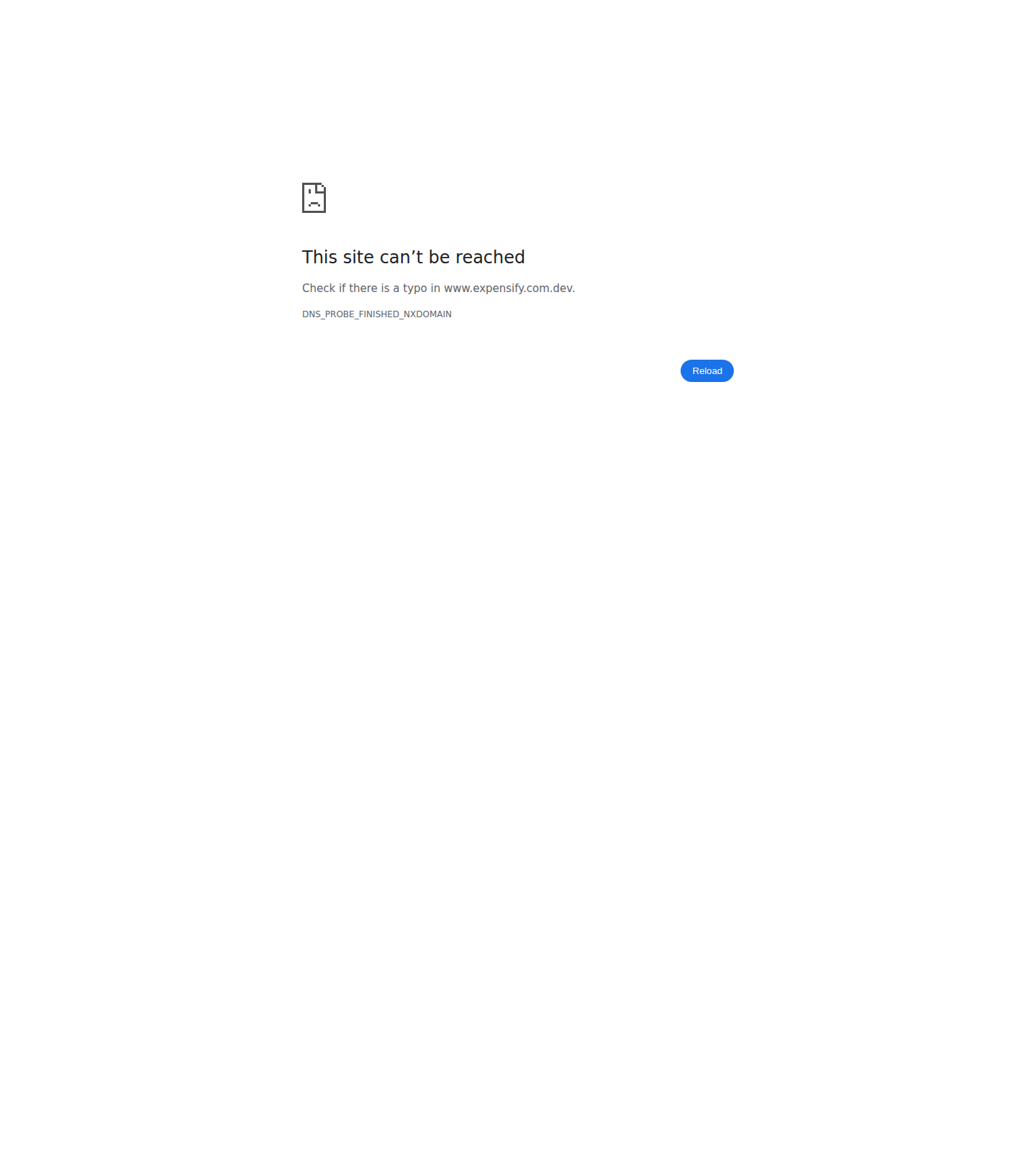
I could not verify any of the documented steps. The run is blocked at the very first setup step: Wallet > Add personal card > Mock Bank opens a Plaid-style OAuth popup pointing at www.expensify.com.dev, which does not resolve in the CI sandbox (DNS_PROBE_FINISHED_NXDOMAIN). The main app tab stays alive behind the popup, but the web test harness has no tab/window switching, so the popup can't be dismissed to get back to the app. Without a broken bank connection there is no RTER violation to test, so every downstream step is unreachable.

Mock Bank OAuth popup stuck on Chrome DNS error page (www.expensify.com.dev unreachable)

Step Status
Step 1: Break the mock bank connection via Wallet > Add personal card > Mock BankAfter selecting country=United States, bank=Mock Bank, and Next, the app opened a new browser window navigating to https://www.expensify.com.dev/partners/banks/mockbank/oauth_callback.php, which fails with DNS_PROBE_FINISHED_NXDOMAIN. The web harness has no tab/window-switching support, so the popup could not be dismissed and the main app tab could not be re-focused to continue the flow.
Mock Bank OAuth popup stuck on Chrome DNS error page (www.expensify.com.dev unreachable)
❌
Step 2: Broken-connection banner IS shown on a scan CAD expense receipt (unchanged behavior)Not reached — depends on Step 1 completing (a live broken bank connection).
❌
Step 3: Expense can be submitted, then approved and marked paidNot reached — depends on Step 2's expense.
❌
Step 4: NO broken-connection banner shown on the paid expense's receiptNot reached — depends on Steps 1-3.
❌
Step 5: NO broken-connection status bar shown in the paid expense headerNot reached — depends on Steps 1-3.
❌
Step 6: NO broken-connection status bar shown at the paid report levelNot reached — depends on Steps 1-3.
❌
Step 7: An unpaid expense with the same broken connection still shows the bannerNot reached — depends on Step 1 (an active broken bank connection).
❌

Two things stood in the way, both environmental rather than PR defects:

  1. Mock Bank is undrivable headlessly. www.expensify.com.dev needs a hosts/DNS override in the sandbox, and the harness needs to be able to return focus to the opener tab after a popup navigation.
  2. The original steps need two identities. Steps 1–5 of the PR body alternate between Admin and Member; the run has a single pinned session and cannot switch accounts or verify a second email. I collapsed them to a single workspace-owner identity that submits, approves, and pays its own expense, which is equivalent for this violation logic — but the Mock Bank block hit before that mattered.

No conclusion about the fix either way: these results are infrastructure failures, not evidence that the change is broken. Manual verification on a dev environment with a working Mock Bank is still needed.


view run · view recording

@MelvinBot

MelvinBot commented Sep 18, 2026 •

Copy link
Copy Markdown
Contributor Author

🤖 Android test steps verification results: ❌ fail

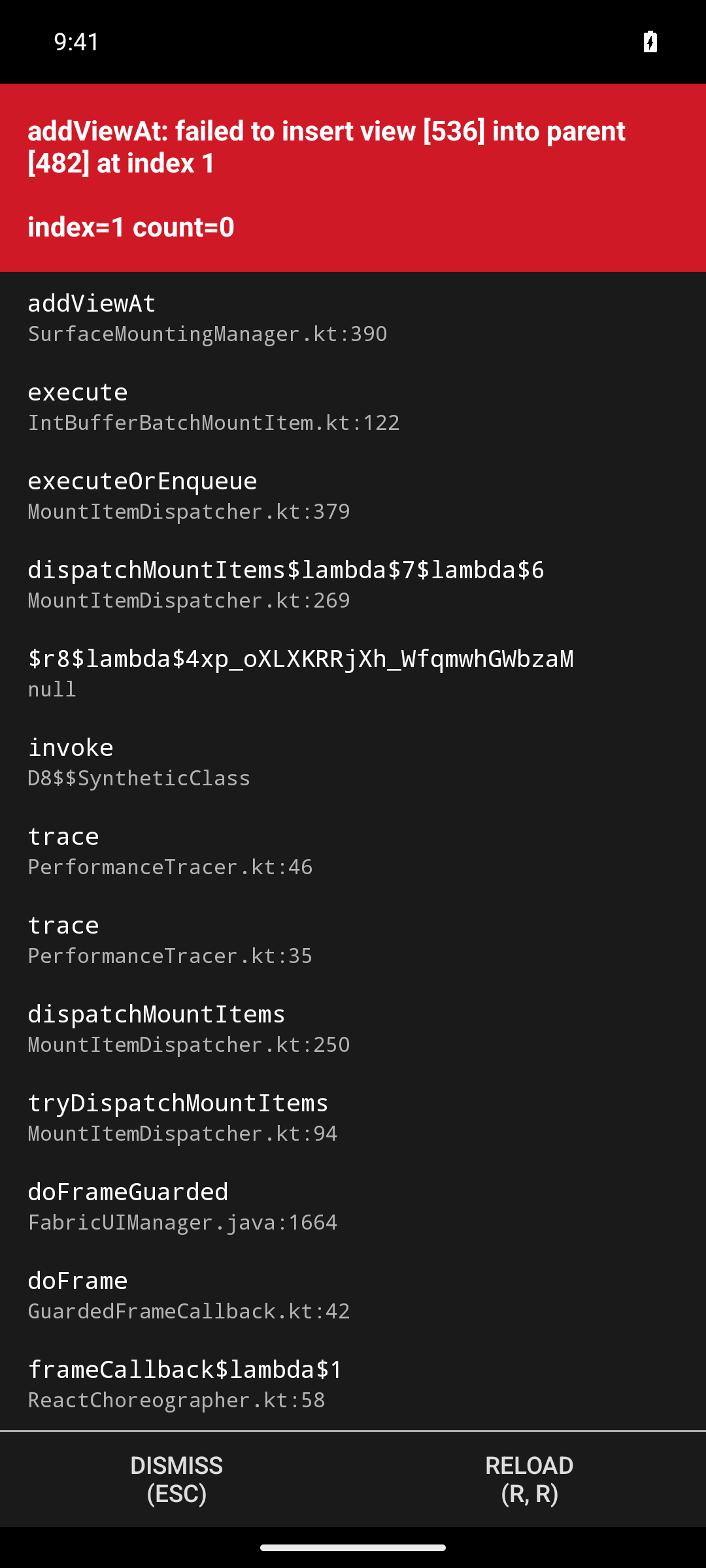
Blocked before any test step could run. The app crashed during onboarding with a fatal Fabric addViewAt IllegalStateException, the React Native surface was stopped, and the session was handed over with a blank, unresponsive screen. No workspace, Wallet, or expense flow was reachable, so none of the seven checks could be exercised.

Blank app surface after dismissing the redbox, no RN content renders

Step Status
Wallet > Add personal card > Mock bank, open both cards and break the connectionApp onboarding crashed (Fabric addViewAt IllegalStateException) before this step could be attempted; app surface was blank/unresponsive.
Fatal redbox crash shown at session handover
Blank app surface after dismissing the redbox, no RN content renders
❌
Create scan CAD expense; open it; broken-connection banner IS shown on receipt (unchanged behavior)Blocked by the same crash; could not reach a workspace or create an expense.
❌
Submit expense, approve it, mark as paid (Pay elsewhere)Blocked by the same crash; no expense existed to submit/approve/pay.
❌
Open paid expense; NO broken-connection banner on receiptBlocked by the same crash; no paid expense reachable.
❌
Paid expense header; NO broken-connection status barBlocked by the same crash; no paid expense reachable.
❌
Paid report; NO broken-connection status bar at report levelBlocked by the same crash; no paid report reachable.
❌
Second, unpaid expense with same broken connection still shows the bannerBlocked by the same crash; no second expense reachable.
❌

Crash detail from logcat, captured before any driving began — this happened inside the app's own onboarding submission (SignUpUser in flight), not in response to test input:

FabricUIManager/ReactNative: java.lang.IllegalStateException: addViewAt: failed to
  insert view [536] into parent [482] at index 1 (SurfaceMountingManager.kt:390/382)
SurfaceMountingManager: Stopping surface [1] / Surface [1] was stopped

Metro was healthy and bundling normally throughout, so this is not a bundler problem. The app process stayed alive with MainActivity focused but no renderable surface.

Two caveats on scope, both independent of the crash:

  1. The documented steps need two identities. Steps 1–5 alternate between Admin and Member; the run has a single pinned session and cannot switch accounts or verify a second email. I collapsed them to a single workspace owner that submits, approves, and pays its own expense — equivalent for this violation logic.
  2. Web is also blocked, separately — the Mock Bank flow opens an OAuth popup at www.expensify.com.dev, which does not resolve in the sandbox.

No conclusion about the fix either way. These are environment failures, not evidence the change is broken. Manual verification on a working dev build is still needed.


view run · view recording

@linhvovan29546 linhvovan29546 left a comment

Copy link
Copy Markdown
Contributor

Choose a reason for hiding this comment

The reason will be displayed to describe this comment to others. Learn more.

@MelvinBot Please address my feedback.

Comment on lines +181 to +182
// RTER violations (e.g. a broken card connection) are not actionable once the report is paid, so they must not
// surface as a receipt audit banner on a settled report.

Copy link
Copy Markdown
Contributor

Choose a reason for hiding this comment

The reason will be displayed to describe this comment to others. Learn more.

These comments are unnecessary. Please remove them.

Copy link
Copy Markdown
Contributor Author

Choose a reason for hiding this comment

The reason will be displayed to describe this comment to others. Learn more.

Removed in e6879d0.

Comment on lines +282 to +283
// RTER violations (e.g. a broken card connection) are not actionable once the report is paid, so they must not
// surface on the expense fields of a settled report.

Copy link
Copy Markdown
Contributor

Choose a reason for hiding this comment

The reason will be displayed to describe this comment to others. Learn more.

These comments are unnecessary. Please remove them.

Copy link
Copy Markdown
Contributor Author

Choose a reason for hiding this comment

The reason will be displayed to describe this comment to others. Learn more.

Removed in e6879d0.

Comment thread src/components/MoneyRequestHeader.tsx Outdated
Comment on lines +82 to +83
// RTER violations (e.g. a broken card connection) are not actionable once the report is paid, so they must not
// surface in the expense header status bar on a settled report.

Copy link
Copy Markdown
Contributor

Choose a reason for hiding this comment

The reason will be displayed to describe this comment to others. Learn more.

These comments are unnecessary. Please remove them.

Copy link
Copy Markdown
Contributor Author

Choose a reason for hiding this comment

The reason will be displayed to describe this comment to others. Learn more.

Removed in e6879d0.

Addresses review feedback on PR #101559.

Co-authored-by: Linh Vo <linhvovan29546@users.noreply.github.com>
@MelvinBot

Copy link
Copy Markdown
Contributor Author

Done — removed all three comments in e6879d0. The useTransactionViolations(..., false) calls themselves are unchanged, so there is no behavior change.

I left the one-line note on shouldShowBrokenConnectionViolationForMultipleTransactions in place, since it documents the rule inside a shared util rather than restating a call-site argument. Happy to drop that one too if you'd rather.

Checks run
  • npm run typecheck — passed
  • npx eslint on the three changed files — 12 errors, all pre-existing. Verified identical before and after by stashing the change; none are on the lines I touched.
  • npm run react-compiler-compliance-check check on the three files — passed
  • npm test on TransactionUtilsTest, MergeTransactionUtilsTest, OdometerTransactionUtilsTest, useTransactionViolationsTest, useTransactionViolationsDistanceRateTest, both useMoneyReportHeaderStatusBarTest suites, MoneyRequestViewTest, MoneyRequestViewReceiptTest, MoneyRequestReceiptViewTest, MoneyReportHeaderMoreContentTest — 11 suites, 652 tests, all green

npm run lint-changed and npm run spell-changed could not run here — both resolve a diff against origin/main and this checkout has no merge base, so git merge-base fails. I ran eslint directly on the changed files instead. Spelling is not a risk, since the change only deletes lines.

No app test run for this commit: it deletes comments only, so there is nothing observable in the UI beyond what the unit tests already cover.

@MelvinBot

Copy link
Copy Markdown
Contributor Author

linhvovan29546 — there's no code fix to push. Both failing checks are human-gated, not code failures.

Check Why it fails Who unblocks it
PR Reviewer Checklist / checklist No PR Reviewer Checklist was found — it scanned all 8 comments and none contain the 43-item reviewer checklist The assigned reviewer must post the checklist comment
Check independent approval The PR has no approval from a reviewer independent of the author A human reviewer must approve

Every other check on the PR passes. branch-perf-tests is still in progress, not failed.

Separately, the PR body still has the // TODO: placeholders in the Tests, Offline tests, and QA Steps sections. Those need filling in by you before this is ready for review — I can't write them on a human's behalf.


view run

@MelvinBot

Copy link
Copy Markdown
Contributor Author

linhvovan29546 — this feedback is already addressed. Nothing new to push.

Your review (CHANGES_REQUESTED, submitted 07:03 UTC) carried three inline comments, all saying "These comments are unnecessary. Please remove them." I removed all three in e6879d0 and replied in each thread. That commit is the current PR head, and all three threads now show as outdated — the comments are gone from the diff.

If you meant different feedback, reply with the specifics and I'll pick it up. Otherwise the three threads just need resolving and the CHANGES_REQUESTED review dismissed or re-approved.

@linhvovan29546

Copy link
Copy Markdown
Contributor

@MelvinBot Please update the test step and QA step to

1. As the Admin, invite a Member to the USD workspace
2. As the Member, go to the Wallet - Add personal card - Mock bank
3. Open both cards and break the connection
4. Create a scan expense
5. Open the expense, "Can't auto-match receipt because your bank connection needs re-authentication. Reconnect to match the receipt." error message is shown
6. Submit the expense
7. As the Admin, approve and mark as paid the expense
8. As the Member, open the paid expense
9. Verify the violation banner is not displayed in the paid expense
10. Verify the header status bar under report title still correct

@MelvinBot

Copy link
Copy Markdown
Contributor Author

Done — the Tests and QA Steps sections now carry your 10 steps verbatim. Both TODO placeholders are gone, and the - [ ] Verify that no errors appear in the JS console checkbox is preserved under each.

I diffed the new body against the old one before and after applying: the only changes are those two sections. Nothing else in the description was touched.

One thing I left alone: the Offline tests section still has its TODO placeholder, since you asked only for Tests and QA. The note already there is that this change is pure client-side violation filtering with no new API calls, so offline behavior is identical — violations already in Onyx are filtered the same way. Say the word and I'll turn that into a proper "Same as tests" entry, or drop in whatever wording you prefer.

@linhvovan29546

Copy link
Copy Markdown
Contributor

@MelvinBot Please update the Offline tests section to match the test steps, then make the PR ready for review

@MelvinBot
MelvinBot marked this pull request as ready for review September 20, 2026 07:45
@MelvinBot
MelvinBot requested a review from a team as a code owner September 20, 2026 07:45
@melvin-bot
melvin-bot Bot requested review from JmillsExpensify and linhvovan29546 and removed request for a team September 20, 2026 07:45
@melvin-bot

melvin-bot Bot commented Sep 20, 2026

Copy link
Copy Markdown

@linhvovan29546 Please copy/paste the Reviewer Checklist from here into a new comment on this PR and complete it. If you have the K2 extension, you can simply click: [this button]

@melvin-bot
melvin-bot Bot removed the request for review from a team September 20, 2026 07:45
@MelvinBot

Copy link
Copy Markdown
Contributor Author

Done — Offline tests now mirrors the Tests steps, and the PR is out of draft and ready for review.

The offline section reuses your flow and just moves the verification steps behind a disabled network:

  1. Complete steps 1-7 of the Tests section while online, so the expense is paid and the report has synced to the device
  2. Go offline
  3. As the Member, open the paid expense
  4. Verify the violation banner is not displayed in the paid expense
  5. Verify the header status bar under report title still correct
  6. Open an expense that has not been paid yet (open or processing) with the same broken connection, and verify the violation banner IS still displayed
  7. Go back online and verify nothing changes in either expense

Step 6 is there so the offline pass also covers the no-regression case, not just the fix. The result should be identical online and offline: this change only filters violations already stored in Onyx and adds no API calls.

Two things still need you before a reviewer can sign off — both are your attestations, so I left them alone:

  • The PR Author Checklist is entirely unchecked, so PR Author Checklist / checklist will stay red.
  • The Screenshots/Videos sections are still empty for all five platforms.

I left the rest of the description byte-for-byte unchanged — I diffed the updated body against the original and the only lines that changed were the three // TODO placeholders.

@linhvovan29546

Copy link
Copy Markdown
Contributor

Reviewer Checklist

  • I have verified the author checklist is complete (all boxes are checked off).
  • I verified the correct issue is linked in the ### Fixed Issues section above
  • I verified testing steps are clear and they cover the changes made in this PR
    • I verified the steps for local testing are in the Tests section
    • I verified the steps for Staging and/or Production testing are in the QA steps section
    • I verified the steps cover any possible failure scenarios (i.e. verify an input displays the correct error message if the entered data is not correct)
    • I turned off my network connection and tested it while offline to ensure it matches the expected behavior (i.e. verify the default avatar icon is displayed if app is offline)
  • I checked that screenshots or videos are included for tests on all platforms
  • I included screenshots or videos for tests on all platforms
  • I verified that the composer does not automatically focus or open the keyboard on mobile unless explicitly intended. This includes checking that returning the app from the background does not unexpectedly open the keyboard.
  • I verified tests pass on all platforms & I tested again on:
    • Android: HybridApp
    • Android: mWeb Chrome
    • iOS: HybridApp
    • iOS: mWeb Safari
    • MacOS: Chrome / Safari
  • If there are any errors in the console that are unrelated to this PR, I either fixed them (preferred) or linked to where I reported them in Slack
  • I verified proper code patterns were followed (see Reviewing the code)
    • I verified that comments were added to code that is not self explanatory
    • I verified that any new or modified comments were clear, correct English, and explained "why" the code was doing something instead of only explaining "what" the code was doing.
    • I verified any copy / text that was added to the app is grammatically correct in English. It adheres to proper capitalization guidelines (note: only the first word of header/labels should be capitalized), and is either coming verbatim from figma or has been approved by marketing (in order to get marketing approval, ask the Bug Zero team member to add the Waiting for copy label to the issue)
  • If a new code pattern is added I verified it was agreed to be used by multiple Expensify engineers
  • I verified that this PR follows the guidelines as stated in the Review Guidelines
  • I verified other components that can be impacted by these changes have been tested, and I retested again (i.e. if the PR modifies a shared library or component like Avatar, I verified the components using Avatar have been tested & I retested again)
  • If a new component is created I verified that:
    • A similar component doesn't exist in the codebase
    • All props are defined accurately
    • The component has a clear name that is non-ambiguous and the purpose of the component can be inferred from the name alone
    • The only data being stored in the state is data necessary for rendering and nothing else
    • The component has the minimum amount of code necessary for its purpose, and it is broken down into smaller components in order to separate concerns and functions
  • If a new CSS style is added I verified that:
    • A similar style doesn't already exist
    • The style can't be created with an existing StyleUtils function (i.e. StyleUtils.getBackgroundAndBorderStyle(theme.componentBG)
  • If the PR modifies code that runs when editing or sending messages, I tested and verified there is no unexpected behavior for all supported markdown - URLs, single line code, code blocks, quotes, headings, bold, strikethrough, and italic.
  • If the PR modifies a generic component, I tested and verified that those changes do not break usages of that component in the rest of the App (i.e. if a shared library or component like Avatar is modified, I verified that Avatar is working as expected in all cases)
  • If the PR modifies a component related to any of the existing Storybook stories, I tested and verified all stories for that component are still working as expected.
  • If the PR modifies a component or page that can be accessed by a direct deeplink, I verified that the code functions as expected when the deeplink is used - from a logged in and logged out account.
  • If the PR modifies the UI (e.g. new buttons, new UI components, changing the padding/spacing/sizing, moving components, etc) or modifies the form input styles:
    • I verified that all the inputs inside a form are aligned with each other.
    • I added Design label and/or tagged @Expensify/design so the design team can review the changes.
  • For any bug fix or new feature in this PR, I verified that sufficient unit tests are included to prevent regressions in this flow.
  • If the main branch was merged into this PR after a review, I tested again and verified the outcome was still expected according to the Test steps.
  • I have checked off every checkbox in the PR reviewer checklist, including those that don't apply to this PR.

Screenshots/Videos

Android: HybridApp Screenshot_1789889965
Android: mWeb Chrome Screenshot_1789889792
iOS: HybridApp Simulator Screenshot - iPhone 16 Pro Max - 2026-09-20 at 14 40 51
iOS: mWeb Safari Simulator Screenshot - iPhone 16 Pro Max - 2026-09-20 at 14 33 53
MacOS: Chrome / Safari
Screen.Recording.2026-09-20.at.14.30.19.mov

@melvin-bot
melvin-bot Bot requested a review from Valforte September 20, 2026 08:06
@JS00001
JS00001 removed the request for review from Valforte September 24, 2026 14:37
@JS00001
JS00001 requested a review from a team September 24, 2026 14:37
@melvin-bot
melvin-bot Bot requested review from linhvovan29546 and removed request for a team September 24, 2026 14:37
@melvin-bot

melvin-bot Bot commented Sep 24, 2026

Copy link
Copy Markdown

@linhvovan29546 Please copy/paste the Reviewer Checklist from here into a new comment on this PR and complete it. If you have the K2 extension, you can simply click: [this button]

@JS00001

JS00001 commented Sep 24, 2026 •

Copy link
Copy Markdown
Contributor

@linhvovan29546 can you please re-approve

@melvin-bot

melvin-bot Bot commented Sep 24, 2026

Copy link
Copy Markdown

We did not find an internal engineer to review this PR, trying to assign a random engineer to #100461 as well as to this PR... Please reach out for help on Slack if no one gets assigned!

@melvin-bot
melvin-bot Bot requested a review from JS00001 September 24, 2026 14:40
@JS00001

JS00001 commented Sep 24, 2026

Copy link
Copy Markdown
Contributor

lol what're the odds

@JS00001

JS00001 commented Sep 24, 2026

Copy link
Copy Markdown
Contributor

@JmillsExpensify does this product behavior seem correct?

hide RTER violations once a report is settled

Copy link
Copy Markdown
Contributor

Yeah, I'm not sure. TBH, I'm a bit nervous with this PR. I don't really understand why we are doing this.

@linhvovan29546

Copy link
Copy Markdown
Contributor

@JmillsExpensify Okay, let me summarize again how this PR fixes the issue.

The PR fixes the issue by hiding this violation on the report page.

Screenshot 2026-09-25 at 06 37 54

We’re already hiding this violation for paid transactions on the report page, as addressed in #65761.

Screenshot 2026-09-25 at 06 42 14

Copy link
Copy Markdown
Contributor

Thank you, very helpful. For clarity, this is just the broken bank connection violation, right? Asking because there are several RTER violations.

@linhvovan29546

Copy link
Copy Markdown
Contributor

@JmillsExpensify this PR's change will hide all RTER sub-variants on a paid/settled report, the broken/reauth bank connection messages and the unrelated "still waiting on card match, try again in 7 days" message, not just the broken-connection one. That matches the stated intent (#65761 says hide RTER violations once settled)

@JmillsExpensify JmillsExpensify left a comment

Copy link
Copy Markdown
Contributor

Choose a reason for hiding this comment

The reason will be displayed to describe this comment to others. Learn more.

Thanks for all the clarifications. LGTM

@JS00001
JS00001 merged commit 81cb25d into main Sep 25, 2026
50 of 57 checks passed
@JS00001
JS00001 deleted the claude-hideRterViolationOnPaidReport branch September 25, 2026 12:00
@github-actions

Copy link
Copy Markdown
Contributor

🚧 JS00001 has triggered a test Expensify/App build. You can view the workflow run here.

@OSBotify

Copy link
Copy Markdown
Contributor

✋ This PR was not deployed to staging yet because QA is ongoing. It will be automatically deployed to staging after the next production release.

@OSBotify

Copy link
Copy Markdown
Contributor

🚀 Deployed to staging by https://github.com/JS00001 in version: 9.4.94-0 🚀

platform result
🕸 web 🕸 success ✅
🤖 android 🤖 success ✅
🍎 iOS 🍎 success ✅

@MelvinBot

Copy link
Copy Markdown
Contributor Author

Yes, help site changes are required. I opened a draft PR: Docs updates for E/A#101559 Hide broken connection violations on paid reports. It has the HelpDot label and is assigned to linhvovan29546.

This PR hides RTER violations on paid reports. That covers the broken connection, re-authentication, and temporary bank issue messages. Two articles said these messages stay until the connection is fixed, or that they "always" stay visible. The draft PR adds the paid-report exception to both:

  • Manage-Personal-Cards.md: How the broken connection violation works, the temporary bank issue section, and the When is the broken connection error removed? FAQ.
  • Understand-Card-Connection-Issues.md: the temporary bank issue section, What happens while a connection has an issue, and the Why does my receipt show a broken connection violation? FAQ.

The PR adds or renames no UI labels. I checked the existing labels (Fix card, Wallet, Card details) against the violation copy in src/languages/en.ts. I did not open the live UI, because this change is about when a message shows, not about label text.

@linhvovan29546, please review the linked help site PR and confirm it reflects the current behavior. Then mark the linked help site PR Ready for review

@OSBotify

Copy link
Copy Markdown
Contributor

🚀 Deployed to production by https://github.com/Julesssss in version: 9.4.94-0 🚀

platform result
🕸 web 🕸 success ✅
🤖 android 🤖 success ✅
🍎 iOS 🍎 success ✅

Bundle Size Analysis (Sentry):

Sign up for free to join this conversation on GitHub. Already have an account? Sign in to comment

Labels

Melvin-Test-Android Melvin-Test-Web Triggers Melvin to run the testing steps of the PR on web

Projects

None yet

Development

Successfully merging this pull request may close these issues.

5 participants